Email Deliverability Tools We Tested in 2026 (Full Breakdown)
Deliverability is four separate jobs, and most roundups blur them into one list. We split eleven tools by the job they actually do, checked every price against the vendor's own page, and said plainly where each one stops.
calendar_todayUpdated 15 September 2026apps11 toolsprice_checkPricing checked Updated 15 September 2026schedule18 min read
check_circleDeliverability splits into four jobs that need different tools: cleaning the list, warming the sending domain, testing where mail lands, and monitoring your DNS records. One tool rarely covers more than two.
check_circleCleaning the list is the cheapest fix and almost always the first one. A bad address bounces, a bounce hurts your sender reputation, and no amount of warmup repairs a list full of dead mailboxes.
check_circleAt the low end, per-address cleaning costs vary by roughly 60x. Mailsfinder works out around $0.000033 per credit on the $9.99 monthly plan, MillionVerifier around $0.00245 on its smallest pack, and Kickbox around $0.01 at 500 verifications.
check_circleGlockApps and Mailtrap answer a question the verifiers cannot: whether your mail reaches the inbox or the spam folder. That is seed testing, and it is priced per seat rather than per address.
check_circleMailReach is warmup, not verification. It builds sending reputation on a mailbox over weeks and costs around $19.50 per mailbox per month, so the bill scales with how many inboxes you send from.
check_circleEasyDMARC covers the part most teams skip entirely: SPF, DKIM and DMARC records. Authentication failures get mail rejected before content is ever considered.
check_circleZeroBounce and Bouncer both bundle verification with extra deliverability tooling, which is convenient but costs more per address than a dedicated bulk verifier.
check_circleNothing here is a magic fix. If you are sending to a list you bought, no tool on this page will save the domain you send it from.
What email deliverability tools actually do
Email deliverability tools exist to answer one question: will the message you send arrive where a human will see it? That sounds like a single problem, and it is really four. Your list has to contain real mailboxes. Your sending domain has to have a reputation worth trusting. Your authentication records have to prove you are who you claim to be. And the content itself has to clear the spam filter on the other side.
Most roundups you will read treat these as interchangeable, which is how people end up paying for inbox placement testing when their actual problem is a list with 30 percent dead addresses. The tools are not substitutes for each other. A verifier will never tell you that your DMARC record is misconfigured, and a DMARC monitor will never tell you that half your contacts left their jobs two years ago.
The practical order matters more than the tool choice. Clean the list first, because it is the cheapest step and it removes the largest single cause of hard bounces. Fix authentication second, because it is free and a broken SPF record will sink you regardless of anything else. Warm the domain third, if it is new or has been dormant. Test inbox placement last, once the first three are actually true, because otherwise you are measuring a problem you already know you have.
That order is also why this list is grouped by job rather than ranked one to eleven. A verifier and a warmup service are not competitors. Read the section below on the four types, work out which job you are actually trying to do, and then read only the tools that do it.
We checked every price on the vendor's own pricing page on 15 September 2026, because published pricing in this category changes often and secondhand figures go stale fast. One caveat on the tables: MXToolbox is included because it is a genuinely useful free diagnostic, but its pricing page returned a site error and then a 404 across three attempts, so its paid tiers are marked unverified rather than filled with a guess. SendGrid and Validity Everest were dropped for the same reason, one now routing to a sales contact form and the other returning a 404.
payments
Live pricing, checked on the day
Every figure in the tables below came from the vendor's own pricing page on 15 September 2026. Where a tool prices by usage rather than by plan, we recorded the entry rate and the rate at volume, because the gap between them is often large.
category
Grouped by job, not by score
We sorted eleven tools into list cleaning, warmup, inbox placement and authentication monitoring. A tool only gets compared against others doing the same job, because a cost per verified address means nothing next to a cost per mailbox per month.
visibility
Public pricing counts as a feature
Two tools in the wider category publish no pricing at all. That is a real cost when you are trying to budget, so we say so in the table rather than leaving the cell empty or guessing at a number.
fact_check
Ratings only where we could verify them
G2 blocks automated access, so we show a rating only where our research data carries a verified figure with a review count. Everywhere else the table links to the tool's G2 page and lets you read it yourself rather than showing a number we made up.
The four jobs, and which tools do them
Work out which of these you are actually trying to fix before you look at a single price. Most teams who think they have a deliverability problem have a list problem, and the list problem is the cheapest one on this page to solve.
cleaning_services
List cleaning, also called verification
Checks whether each address on your list is a real, reachable mailbox before you send to it. Catches typos, dead accounts, disposable domains and role addresses. This is the first thing to do and the cheapest, and it is what Mailsfinder, ZeroBounce, MillionVerifier, Kickbox and Bouncer do.
local_fire_department
Warmup, also called reputation building
Sends a slowly increasing volume of mail between real mailboxes so that receiving servers learn to trust a new or dormant sending domain. Takes weeks, not hours, and is priced per mailbox. MailReach is the tool here. Warmup does nothing for a dirty list, so do not start here.
inbox
Inbox placement testing
Sends a test campaign to a panel of seed mailboxes across Gmail, Outlook and others, then reports which folder it landed in. This is the only way to actually see the spam folder rather than guess at it. GlockApps is built for this, and Mailtrap covers it alongside sending infrastructure.
verified_user
Authentication and DNS monitoring
Watches your SPF, DKIM and DMARC records and reports who is sending mail as your domain. Authentication failures cause outright rejection, which no amount of list cleaning or warmup will fix. EasyDMARC is the tool on this list for that job.
Every tool, side by side
Rank is a table position, not a promotional order.
Pricing read from each vendor's own pricing page on 15 September 2026. Ratings shown only where our research data carries a verified figure and review count, because G2 blocks automated access.
What cleaning a list actually costs
Only the five verification tools are priced per address, so only those appear here. Warmup, placement testing and DNS monitoring are priced per mailbox or per domain, and mixing those units into a per-address table would produce a number that means nothing. Figures use each vendor's published rate at the tier the volume falls into.
$
Tool
Addresses you can clean
Rate used
Rates read from each vendor's pricing page on 15 September 2026. Volume pricing means the real cost per address falls as the list grows, so these are estimates at the tier shown, not quotes.
The tools, reviewed
1. Mailsfinder
Find and verify, one credit pool
Full disclosure before anything else: this is our tool, so read the cons carefully and check the numbers yourself. Mailsfinder finds business email addresses and verifies them from the same credit pool, which matters here because most teams cleaning a list also need to fill gaps in it. Verification runs a live SMTP handshake and MX lookup rather than reading from a stored database, and reports catch-all domains as their own status instead of quietly calling them valid. The $9.99 monthly plan includes 300,000 credits, which works out around $0.000033 per credit and is the lowest rate on this page.
Key features
checkLive SMTP verification checks the mailbox at send time rather than looking it up in a cached list.
checkCatch-all reported separately so you decide whether to send rather than finding out at bounce time.
checkBulk upload takes CSV, XLSX or a Google Sheet and returns the file with a status on every row.
checkREST API covers both the finder and the verifier, and is available on every paid plan.
Pros
addLowest published cost per credit on this list
addFinding and verifying share one credit pool
addFree tier runs 100 credits daily, no card
Cons
removeNo Chrome extension, currently on the roadmap
removeNewer platform with a thin review record
removeNo warmup or inbox placement testing
The honest read
Strong on the cleaning job and priced well below the rest of this list, but it covers exactly one of the four deliverability jobs. If your problem is placement or authentication rather than list quality, nothing here will help and you want GlockApps or EasyDMARC instead.
From $9.99/mo300,000 creditsFree 100/day
2. ZeroBounce
Verification with a deliverability suite
Among the verifiers here, ZeroBounce carries the deepest surrounding toolkit: scoring for unknown addresses, a blocklist monitor, an inbox placement test and a warmup product all sit alongside the core validation. That breadth is genuinely useful if you want one vendor and one invoice for several of the four jobs. It also costs more per address than anything else on this list, roughly $0.0195 at the 2,000-credit pay-as-you-go entry point. With 1,361 reviews on G2 it has by far the longest track record in this group.
Key features
checkAI scoring assigns a confidence score to addresses that come back unknown rather than discarding them.
checkBlocklist monitoring watches whether your sending IP or domain appears on major blocklists.
checkInbox placement testing covers part of the seed testing job inside the same account.
checkWarmup product handled in-house, so one vendor can cover cleaning and reputation.
Pros
addWidest feature set of any verifier here
addLongest public review record, 1,361 on G2
addCovers several deliverability jobs in one account
Cons
removeRoughly 60x the cost per credit of the cheapest option
removeFree tier of 100 a month is small
removeBreadth means you pay for unused modules
The honest read
The convenience of one vendor for several jobs is real, and so is the price. If you only need list cleaning, you are paying a large premium for modules you will not open. If you want cleaning, placement and warmup on one invoice, the maths looks better.
From $39 / 2,000$99/mo subscriptionFree 100/month
3. MillionVerifier
Bulk cleaning at volume
Built for one job and priced accordingly, MillionVerifier sells never-expiring credit packs that get dramatically cheaper as they get bigger. The published rate falls from roughly $0.00245 per credit on the smallest 2,000-credit pack to around $0.00017 at 50 million, which is the steepest volume curve in this group. Credits not expiring matters more than it sounds: a team that cleans a large list twice a year is badly served by a monthly subscription. The review count on G2 is small at 28, so there is less public signal here than with ZeroBounce.
Key features
checkNever-expiring credits suit occasional large cleans rather than steady monthly volume.
checkSteep volume discount takes the rate down roughly 14x between the smallest and largest packs.
checkBulk upload and API both available, with results returned as a downloadable file.
checkBounce guarantee published against the verified portion of your list.
Pros
addCheapest published rate at very large volumes
addCredits never expire, no subscription needed
addFocused product with little to configure
Cons
removeOnly 28 G2 reviews, thin public signal
removeDoes only verification, nothing else
removeEntry rate is unremarkable until volume rises
The honest read
The right answer for a large, infrequent clean, and the never-expiring credits are a genuine advantage over subscription verifiers. Less compelling if your volume is small and steady, where the entry rate is not especially cheap.
From $4.90 / 2,000Credits never expireFree 500 trial
4. Kickbox
Verification with a reputation focus
Kickbox publishes its full price ladder openly, which is rarer in this category than it should be: 500 verifications for $5, 10,000 for $70, 100,000 for $500. That transparency makes budgeting straightforward and lets you check the maths before signing up. The product leans on a deliverability reputation angle, with a sending quality score alongside the verification result. At roughly $0.01 per address at entry volume it sits in the middle of this group on price, dropping to around $0.005 at 100,000.
Key features
checkPublished price ladder shows every tier publicly, from 500 addresses up to 100,000.
checkSendex score rates the quality of an address rather than only marking it valid or invalid.
checkReal-time API verifies a single address at signup time as well as in bulk.
checkNo subscription required so you buy verifications when you need them.
Pros
addFully published pricing ladder, easy to budget
addQuality score adds detail beyond valid or invalid
addNo subscription, buy what you need
Cons
removeMiddle of the pack on entry price
removeRoughly 3x the cost of MillionVerifier at volume
removeNo warmup or placement testing
The honest read
A clean, honest product with pricing you can check before you commit, which counts for something in a category full of quote-only vendors. You will pay more per address than MillionVerifier or Mailsfinder for the same job.
From $5 / 500$500 / 100,000Free 100
5. Bouncer
Verification with EU data residency
European teams with a compliance requirement tend to land on Bouncer, which builds its positioning around GDPR and EU data handling rather than raw price. Verification itself covers the usual ground: syntax, MX, SMTP and catch-all detection, with a toxicity check for risky domains. The entry rate of $0.0080 per email puts it below Kickbox and well above MillionVerifier, with volume discounts published on the pricing page. If data residency is a procurement requirement rather than a preference, that narrows the field quickly.
Key features
checkEU data handling positioned for teams with GDPR procurement requirements.
checkToxicity check flags domains likely to generate complaints or spam traps.
checkBulk and API access both included rather than gated behind a higher tier.
checkVolume discounts published on the pricing page rather than quoted on request.
Pros
addClear EU data residency positioning
addToxicity scoring beyond simple validity
addTransparent per-email pricing
Cons
removeRoughly 3x MillionVerifier at entry volume
removeCompliance angle is irrelevant to US-only teams
removeVerification only, no wider toolkit
The honest read
Worth the premium if EU data residency is a box you genuinely have to tick. If it is not, you are paying extra for a compliance story that does not change your outcome.
$0.0080 per emailVolume discountsFree 100 credits
6. Mailtrap
Email testing and sending infrastructure
Developers know Mailtrap as the sandbox that catches outbound mail in staging so a test run does not email 4,000 real customers. It has since grown a sending product and deliverability tooling around that core, which is why it ranks first for this term. The free tier covers 4,000 emails a month, and paid plans start at roughly $15 a month for 10,000, rising through $20 at 50,000 and $30 at 100,000. Pricing is per email sent rather than per address verified, so it does not belong in the cleaning comparison.
Key features
checkEmail sandbox captures outbound mail in a test inbox so staging never reaches real recipients.
checkSending infrastructure covers transactional email alongside the testing tools.
checkDeliverability reporting shows how sent mail performed rather than only whether it sent.
checkGenerous free tier runs to 4,000 emails a month without a card.
Pros
addBest free tier of anything on this page
addSandbox prevents test sends reaching customers
addClear published pricing at every tier
Cons
removeDoes not verify addresses on a list
removePriced per email sent, not per address
removeTesting focus suits developers more than marketers
The honest read
Excellent at the job it was built for, which is stopping a development environment from emailing real people. Read it as a testing and sending tool that has deliverability features, not as a list cleaner.
Free 4,000/moFrom $15/mo10,000 emails
7. GlockApps
Inbox placement and seed testing
Answering the one question verifiers cannot, GlockApps sends your campaign to a panel of seed mailboxes and reports which folder it actually landed in at Gmail, Outlook and the rest. That is the difference between believing your mail is delivered and knowing whether anyone saw it. Plans run at roughly $59, $99 and $129 a month, or $708, $1,188 and $1,548 billed annually. Spam filter analysis and DMARC monitoring sit alongside the placement reports.
Key features
checkSeed list testing shows inbox, spam or missing across major providers for a real campaign.
checkSpam filter analysis reports which filter rules your content triggered.
checkDMARC monitoring included alongside placement, covering part of the authentication job.
checkUptime and blocklist alerts flag reputation problems as they appear.
Pros
addDirectly measures folder placement, not a proxy
addCovers placement and DMARC in one tool
addPublished monthly and annual pricing
Cons
removeRoughly $59 a month before any sending
removeSeed panels approximate real recipients imperfectly
removeDoes nothing about list quality
The honest read
The right tool when your list is clean and replies still are not coming, because it turns a guess into a measurement. Buying it before cleaning the list is the most common way teams waste money on deliverability.
From $59/mo$708/yr annualPlacement testing
8. MailReach
Warmup and reputation building
Warmup is the slowest job on this page and MailReach automates it, exchanging a gradually increasing volume of real mail between mailboxes so receiving servers learn to trust a new sending domain. Pricing runs at roughly $19.50 per mailbox per month, which is the number to watch: a team sending from ten inboxes is looking at roughly $195 a month, not $19.50. A deliverability monitor sits alongside the warmup and reports where your mail is landing over time. None of this helps a list full of dead addresses.
Key features
checkAutomated warmup ramps sending volume on a schedule rather than requiring manual sends.
checkPer-mailbox pricing scales predictably, and scales up fast with inbox count.
checkDeliverability monitor tracks placement over time as reputation builds.
checkWorks alongside sending tools rather than replacing your outbound platform.
Pros
addAutomates a job that otherwise takes weeks manually
addPredictable per-mailbox cost
addMonitoring included alongside warmup
Cons
removeCost multiplies quickly across many mailboxes
removeNo free tier to evaluate with
removeUseless if the underlying list is dirty
The honest read
Genuinely useful for a new or dormant domain, and the per-mailbox price is fair for what it automates. Check the mailbox count before you budget, because ten inboxes turns a $19.50 line item into a $195 one.
~$19.50/mailbox/moWarmupMonitoring included
9. EasyDMARC
Authentication and DNS monitoring
Authentication is the job most teams skip until something breaks, and EasyDMARC covers it: SPF, DKIM and DMARC records monitored, with reporting on who is sending mail as your domain. A broken SPF record gets mail rejected outright, before content or reputation are even considered, which makes this the cheapest catastrophic failure to rule out. Paid plans start at roughly $35.99 a month billed annually, or $44.99 monthly, with a second tier around $71.99. Free standalone tools cover a one-off record check.
Key features
checkDMARC reporting aggregates the reports mailbox providers send back about your domain.
checkSPF and DKIM checks catch misconfigured records before they cause rejections.
checkSpoofing visibility shows who else is sending mail claiming to be your domain.
checkFree one-off tools let you check a record without an account.
Pros
addCovers a failure mode other tools ignore entirely
addFree tools handle a one-off record check
addReporting shows domain spoofing attempts
Cons
removeRoughly $36 a month for ongoing monitoring
removeNothing to do with list quality or content
removeReports take reading to be useful
The honest read
Not glamorous and not optional. If your SPF or DMARC records are wrong, every other tool on this page is solving a problem you do not have yet. Use the free checker first, then decide whether ongoing monitoring is worth the subscription.
From $35.99/moFree toolsSPF, DKIM, DMARC
10. Postmark
Transactional sending with deliverability focus
Reputation is the product at Postmark, which separates transactional and broadcast streams so a marketing send can never damage the IPs carrying your password resets. Plans start free at 100 emails a month, then run $15 for Basic, $16.50 for Pro and $18 for Platform, with the difference sitting in retention and support rather than raw volume. Delivery speed and detailed event logs are the reason developers pick it over cheaper infrastructure. Nothing here verifies an address, so it sits alongside a verifier rather than replacing one.
Key features
checkSeparate message streams keep transactional and broadcast sending on different reputations.
checkDetailed event logs show opens, bounces and spam complaints per message rather than in aggregate.
checkFast delivery times published publicly, which most sending providers avoid doing.
checkFree tier covers 100 emails a month for testing an integration.
removeTransactional focus suits product email over campaigns
The honest read
A sending provider with an unusually serious attitude to reputation, which is why it belongs in a deliverability list at all. Read it as infrastructure, not as a tool that fixes an existing list.
Free 100/moFrom $15/moStream separation
11. MXToolbox
Free DNS and blacklist diagnostics
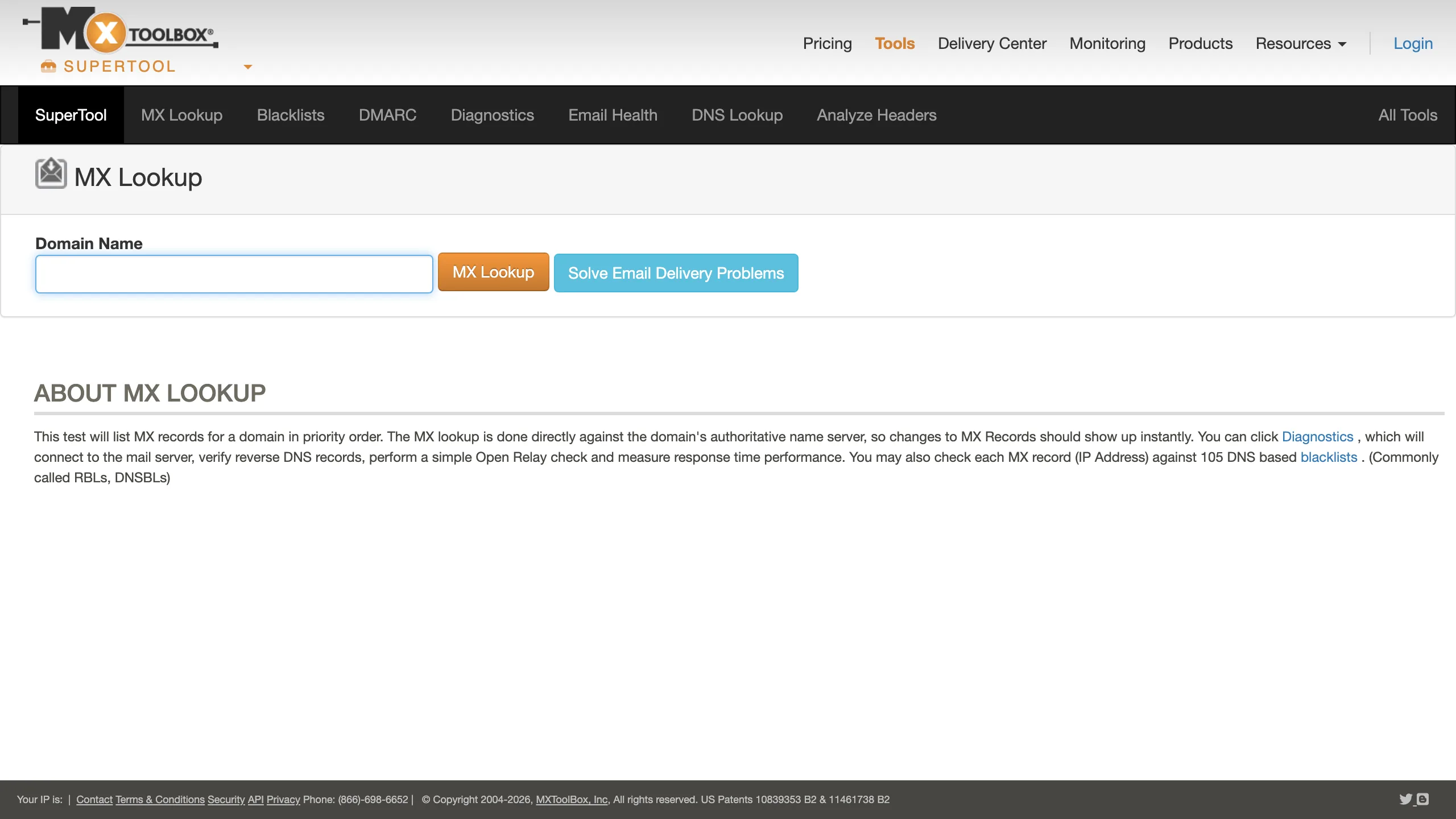
Nearly every deliverability investigation starts here, and the part people use most costs nothing. MXToolbox runs MX record lookups, checks your domain and IP against 105 DNS blacklists, analyses message headers and diagnoses DMARC, all without an account. Paid monitoring adds alerting when something changes rather than requiring you to check by hand. We could not verify the paid tiers: the pricing page returned a site error and then a 404 across three attempts on 15 September 2026, so the table says unverified rather than carrying a number we guessed.
Key features
checkBlacklist check tests your domain and sending IP against 105 DNS based blocklists at once.
checkMX and DNS lookup runs against the authoritative name server, so changes show immediately.
checkHeader analyser explains why a specific message was delayed or rejected.
checkMonitoring available on paid plans, alerting you when a record or listing changes.
Pros
addCore diagnostic tools are genuinely free
addBlacklist coverage is the broadest here
addNo account needed for a one-off check
Cons
removePaid pricing not published at time of writing
removeInterface is dated next to newer tools
removeDiagnoses problems rather than fixing them
The honest read
The free tools are the fastest way to rule out a DNS or blacklist problem and belong in everyone's bookmarks. Treat the paid monitoring as unpriced until their pricing page is working again, and check it yourself before committing.
Free core toolsPaid monitoring105 blacklists
Which one fits your situation
Pick the row that sounds like your week, not the tool with the longest feature list.
If this is you
Start here
Your bounce rate jumped and you do not know why
Clean the list first with Mailsfinder or MillionVerifier. Dead addresses are the most common cause and the cheapest to rule out.
You have a list of over a million addresses to clean
MillionVerifier at around $0.00017 per credit on its largest packs, or Mailsfinder if you also need to find addresses rather than only check them.
You are setting up a brand new sending domain
MailReach for warmup, plus EasyDMARC to get SPF, DKIM and DMARC right before the first campaign goes out.
Your mail sends fine but replies have dried up
GlockApps to find out whether you are landing in spam. A clean list with no replies usually means a placement problem, not a list problem.
You are a developer testing transactional email
Mailtrap, which was built for catching mail in a test environment before it reaches real people, and which starts free at 4,000 emails a month.
You need EU data residency and a compliance story
Bouncer for verification, and EasyDMARC for the authentication side.
Five ways teams waste money on deliverability
Every one of these comes from watching people buy the wrong layer first. None of them are the tools' fault.
1
Buying inbox placement testing before cleaning the list
Seed testing tells you which folder your mail landed in. If a third of your list is dead addresses, you already know the answer and you have just paid roughly $59 a month to confirm it. Clean first, measure second.
2
Warming a domain while sending to a dirty list
Warmup builds reputation by sending mail that gets opened and replied to. Sending to dead addresses at the same time tears that reputation down faster than the warmup builds it. The two cancel out.
3
Ignoring authentication because it is not a product
SPF, DKIM and DMARC are free to configure and cause outright rejection when wrong. Teams spend hundreds a month on tooling while a misconfigured SPF record quietly sinks everything. Check it with a free tool before you buy anything.
4
Paying subscription rates for occasional cleaning
If you clean a large list twice a year, a monthly subscription bills you ten times for nothing. Never-expiring credit packs from MillionVerifier or a pay as you go ladder from Kickbox fit that pattern better.
5
Treating catch-all results as valid
A catch-all domain accepts mail at any address, so a verifier cannot confirm one specific mailbox exists. Tools that quietly mark these valid inflate their own accuracy number and hand you the bounce later. Check how each tool reports them.
Category picks
Our pick
Cleaning a list on a budget
Mailsfinder works out cheapest per credit of anything here on the $9.99 monthly plan, and the same credits cover finding addresses as well as checking them.
Also strong
Cleaning a list at scale
MillionVerifier drops to roughly $0.00017 per credit on its largest packs, and the credits never expire, which suits an occasional very large clean.
Our pick
Inbox placement testing
GlockApps is purpose-built for seed testing and reports folder placement across providers, starting at roughly $59 a month.
Also strong
Developer and transactional testing
Mailtrap catches outbound mail in a sandbox before it reaches anyone real, and the free tier covers 4,000 emails a month.
Our pick
Warming a new domain
MailReach prices per mailbox at roughly $19.50 a month, which is predictable when you know how many inboxes you are warming.
Our pick
Authentication and DNS
EasyDMARC covers SPF, DKIM and DMARC monitoring from roughly $35.99 a month billed annually, and has free tools for a one-off check.
What you actually pay
Two different units appear in this table and they are not comparable. The verifiers price per address, so the cost per 1,000 column is meaningful for them. Warmup, placement testing and DNS monitoring price per mailbox, per seat or per domain, so their cost per 1,000 addresses cell is marked not applicable rather than filled with a misleading number.
Tool
Free plan
Entry price
What you get
Cost per 1,000 addresses
Mailsfinder
100 credits per day, forever
$9.99/mo
300,000 credits per cycle
~$0.03
ZeroBounce
100 validations a month
$39 / 2,000 credits
2,000 credits minimum on pay as you go
~$19.50
MillionVerifier
500 trial credits, business email
$4.90 / 2,000 credits
Credits never expire
~$2.45
Kickbox
100 free verifications
$5 / 500 verifications
Pay as you go, published ladder
~$10.00
Bouncer
100 free credits
$0.0080 per email
Pay as you go with volume discounts
~$8.00
Mailtrap
4,000 emails a month
$15/mo
10,000 emails a month at $15
Not applicable
GlockApps
Limited free tests
$59/mo
Seed list testing and reporting
Not applicable
MailReach
Trial only, no free tier
~$19.50 per mailbox/mo
Automated warmup for one mailbox
Not applicable
EasyDMARC
Free DMARC and SPF tools
$35.99/mo billed annually
Domain monitoring and reporting
Not applicable
Postmark
100 emails a month
$15/mo
Volume tiers from $15
Not applicable
MXToolbox
Yes, the core lookup tools
Paid monitoring, price not published at time of writing
MX, blacklist, DMARC and header analysis
Not applicable
Frequently asked questions
What is the best tool for testing email deliverability?expand_more
It depends which part of deliverability you mean. For seeing which folder your mail lands in, GlockApps is purpose-built for seed testing and starts at roughly $59 a month. For catching mail in a development environment before it reaches anyone, Mailtrap is the standard choice and is free up to 4,000 emails a month. For checking whether the addresses on your list are real before you send at all, a verifier such as Mailsfinder, MillionVerifier or Kickbox is the right tool and costs a fraction as much. Most teams asking this question have a list problem rather than a placement problem, so start with verification and only move to seed testing once the list is clean.
Which email service has the best deliverability?expand_more
No sending service can rescue a bad list or a bad sending reputation, which is why this question usually has the wrong shape. Established providers such as Mailtrap, Postmark, SendGrid and Amazon SES all maintain good infrastructure reputation, and the difference between them matters far less than what you send and who you send it to. Your domain reputation, your authentication records and your bounce rate account for most of the outcome. Pick a provider on features and price, then spend your effort on list hygiene with a verifier and on getting SPF, DKIM and DMARC right with something like EasyDMARC.
How much does it cost to clean an email list?expand_more
Far less than most people expect. At the rates published in September 2026, cleaning 100,000 addresses costs roughly $3.30 through Mailsfinder on the $9.99 monthly plan, roughly $245 through MillionVerifier at its smallest pack rate, and roughly $800 through Bouncer at its entry per-email rate. Volume pricing moves all of these down as the list grows, so a million-address clean does not cost ten times a hundred-thousand-address clean. The calculator above works out the figure for your own list size at each vendor's published rate.
Do I need warmup if my list is already clean?expand_more
Only if the sending domain is new, has been dormant for months, or has a damaged reputation from previous sending. Warmup services such as MailReach build trust with receiving servers by exchanging a slowly increasing volume of mail, which takes weeks and costs around $19.50 per mailbox per month. An established domain with a good sending history and a clean list does not need it. Warmup also does nothing to fix a list full of dead addresses, so if you are choosing between the two, clean the list first.
What is a good bounce rate?expand_more
Under 2 percent is the usual target for a warmed domain sending to a verified list, and several vendors publish guarantees in that region. Above 5 percent you are in territory where mailbox providers start throttling or blocking, and above 10 percent you risk lasting damage to the sending domain. Bounce rate is the clearest signal that your list needs cleaning rather than your content needs rewriting. Verify before you send rather than measuring the damage afterwards.
Can these tools guarantee my email reaches the inbox?expand_more
No, and any tool claiming otherwise is overselling. Inbox placement is decided by the receiving mailbox provider using signals it does not publish, including your domain reputation, engagement history with that recipient, authentication status and content. The tools on this page improve the inputs you control: a list of real mailboxes, a warmed domain, correct SPF, DKIM and DMARC, and visibility into where your mail currently lands. That combination moves the odds substantially, but nobody can promise the inbox.
Harsh founded Mailsfinder after running outbound for hundreds of B2B teams and watching the same gap repeat: tools that generate sends but not replies, SEO that generates traffic but not pipeline. He currently consults for ClickUp and three other B2B SaaS companies on pipeline-driven SEO and outbound, and previously led growth at Databox and Darwinbox. Across 50+ B2B SaaS engagements he scaled one platform from $2K to $50K MRR through organic search, drove 35% traffic lifts via content audits, and launched comparison pages with 22% conversion lift.
Expertise: Pipeline-driven SEO and AEO, first-principles outbound, B2B SaaS growth consulting, email deliverability, comparison and alternative page SEO